Noah (Default)
King Nzule
5/5
Voice GeneratorRated 5/5
Loading…
Speak an idea. Craft the script. Hear the finished voice in one loop. Try a sample below, then open Record or Script Editor.
Record or upload audio and turn speech into text.
OpenPolish scripts, notes, and voiceover drafts for speaking aloud.
OpenTurn finished wording into natural AI voice audio.
OpenSpeak an idea. Craft the script. Hear the finished voice in one loop. Try a sample below, then open Record or Script Editor.
Record or upload audio and turn speech into text.
OpenPolish scripts, notes, and voiceover drafts for speaking aloud.
OpenTurn finished wording into natural AI voice audio.
OpenSpeak · Craft · Hear
One studio loop. Speak an idea, craft the script, hear the finished voice.
Real ratings from people using VoiceCraft tools — see what they said and which tool they used.
4.6 / 5 average·48 reviews
King Nzule
Rated 5/5
Disciplined Intellect
Rated 4/5
Disciplined Intellect
Rated 4/5
Rated by creators · 48 reviews
People & updates
Ask questions, share scripts, get product updates, and meet other creators — live on Discord and in the Facebook Group.
Voice-first tools for recording, scripting, and spoken output. Start with generate or record, then explore transcript crafts and script polish.
37 tools available
Core tools
Best for first-time visitors
Turn any script into natural voice with mood and platform delivery.
Record in-browser and get a private transcript to craft next.
Polish grammar and flow for scripts meant to be spoken.
Turn an idea into a narratable script for YouTube, courses, and ads.
Upload spoken audio and turn it into clean, editable text.
Generate natural AI voice and studio-ready audio from your scripts.
Turn any script into natural voice with mood and platform delivery.
Generate warm long-form AI voiceovers for YouTube videos and explainers.
Generate punchy AI voice for TikTok, Reels, and Shorts.
Generate calm, natural AI narration for podcasts and spoken shows.
Commercial scripts plus AI voiceover from a short brief.
Record live or upload audio. Speech becomes text you can craft.
Record in-browser and get a private transcript to craft next.
Upload spoken audio and turn it into clean, editable text.
Speech → timed caption / subtitle lines for video editors.
Speak a script and get pacing, clarity, and delivery feedback.
Spoken meetings, lectures, and calls → structured output you can hear back
Record or paste a meeting → minutes, then hear a spoken briefing.
Episode audio or transcript → show notes and spoken takeaways.
Speak a rough note → polished email you can also hear aloud.
Call audio → CRM signals and a spoken follow-up brief.
Lecture audio → study guide you can listen back to.
Spoken meeting notes → owners, deadlines, and a spoken checklist.
Dictate the encounter → structured clinical notes.
Speak or type reflections — hear the response read back.
Write, polish, and rehearse scripts, hooks, and stories before you generate voice.
Polish grammar and flow for scripts meant to be spoken.
Turn an idea into a narratable script for YouTube, courses, and ads.
Write punchy spoken openers for Shorts, Reels, and TikTok.
Draft an original story script you can narrate or send to TTS.
Write host–guest dialogue scripts ready for multi-voice TTS.
Split long text into chapter-ready narration script blocks.
One spoken script → platform-ready versions you can TTS.
Compress long copy into a speakable brief.
Rephrase so it sounds more natural when read aloud.
Rewrite for originality while keeping a spoken-friendly voice.
Build prompts for voice agents, TTS, and creator workflows.
Secondary · still speak → craft → hear
Secondary tools. Still get speak → craft → hear where it helps
Career and document helpers stay available. Open them after you learn the Speak → Craft → Hear spine.
Speak an idea, craft the script, and hear finished voice. From notes and recordings to summaries, scripts, emails, and AI audio without jumping between tools.
Turn lectures and study sessions into clean notes, summaries, and revision material.
Turn client calls, voice notes, and rough ideas into deliverables faster.
Repurpose recordings and transcripts into blog posts, show notes, and content drafts.
Most AI tools are just wrappers around someone else’s expensive API. We took a different approach.
Move from recording to summaries and clean drafts without switching tools.
Why wait in a server queue? Our browser-native workflow helps you capture and process ideas without the usual upload delay.
Our AI does more than transcribe. It can separate action items from filler and shape the result into something people can actually use.
Many AI tools solve only one small part of the job. That often means:
VoiceCraft is built to make voice and text work feel practical from start to finish:
Open a practical guide to understand which workflow fits your problem, which tool to start with, and how to get to a useful result faster.
Tips from the System Logic team.
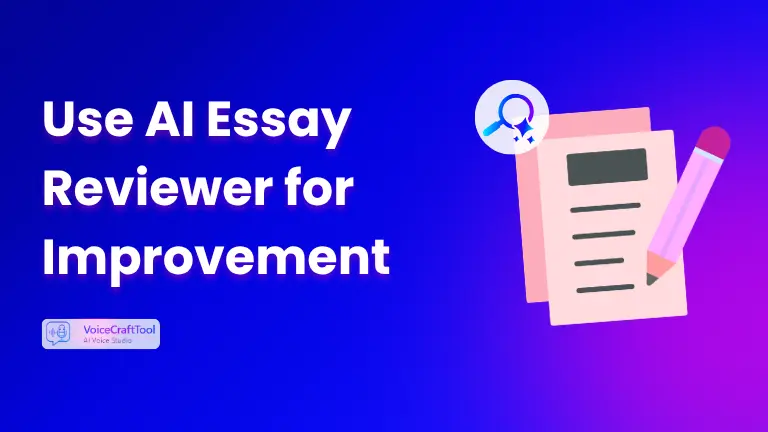
Learn how an AI Essay Reviewer may enhance your admission essay by checking clarity, structure, language, flow, and overall effectiveness.
Use AI to write performance reviews faster with better wording, stronger structure, and less stress. Learn how to get useful drafts that still sound human.

Compare 7 best online AI therapy tools in 2026 for private journaling, voice support, stress relief and emotional reflection. Find your fit with confidence.
Start free. Upgrade when you need more AI voice words, higher quality, and higher limits.
Starter
Upgrade from Free when you need Premium voice and longer scripts.
Secure Paddle checkout · Cancel anytime
Plus
For weekly YouTube / Shorts creators — more Premium voice without enterprise pricing.
Secure Paddle checkout · Cancel anytime
Annual
Full year of Plus-level voice — best if you publish regularly.
Secure Paddle checkout · Cancel anytime
Join the list for new tools, practical tips, and VoiceCraft news. No spam.
No spam. Just useful updates.
Everything you need to know about our privacy-first technology, usage rights, and capabilities.
Our support team is ready to help you with specific technical questions.
Contact Support